Understanding grids, detector compatibility, and how to keep your images clean
Imagine this: a clinic finally upgrades its old CR system to a brand-new digital detector. The team is excited, exams will be faster, images will be sharper, and workflow should immediately improve. But on the very first set of X-rays, something looks off.
The images have weird wavy lines, strange patterns running across the chest, and even faint horizontal stripes the radiologist swears weren’t there before. The team double-checks the exposure, repositions the patient, tries again… and the artifacts appear every single time.
A technician finally asks the question no one wants to ask: “Is there something wrong with the new detector?”
In reality, nothing is wrong with the detector at all. The real culprit is something far more common, and far easier to overlook: An older X-ray grid that isn’t compatible with modern digital resolution.
This everyday scenario happens in clinics and hospitals around the world whenever image quality suddenly drops after a detector upgrade. The good news? Once you understand why it happens, the fix becomes clear.
Why an X-Ray Grid Is Essential?
Whenever an X-ray passes through a patient, it creates scatter radiation. This scatter travels in random directions, hits the detector at unpredictable angles, and washes out the details that matter most. Without something to control it, the image can look hazy, noisy, and much harder for a doctor to interpret.
That’s why X-ray systems rely on hardware grids, thin vertical strips of lead designed to catch scatter before it reaches the detector.
In simple terms:
The grid is what protects your image quality.
Without it, contrast drops and important details start to disappear.
A good grid does its job so quietly that you never notice it… until the moment something goes wrong.
So Why Do Grid Lines or Moiré Patterns Appear With a New Detector?
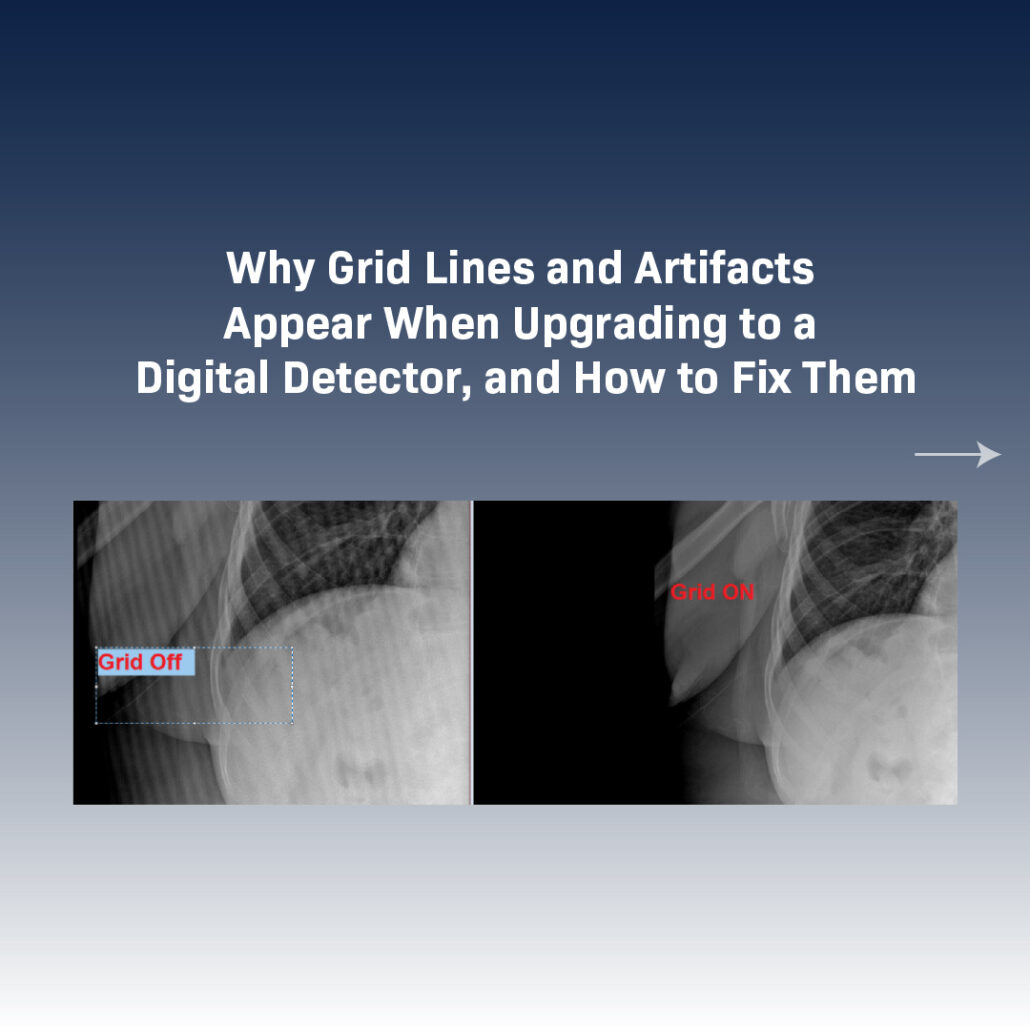
The issue usually isn’t the detector at all, it comes from the relationship between the grid’s line frequency and the detector’s resolution. Older grids designed for film or CR often have lower line frequencies, like 103 LPI. Modern DR detectors, on the other hand, capture much finer detail.
When the grid’s pattern doesn’t “line up” with the detector’s pixel structure, the two interfere with one another.
And that’s when the image starts to show:
- Visible grid lines
- Wavy Moiré patterns
- Repeating artifacts that don’t belong
It’s a bit like stacking two window screens with slightly different spacing, suddenly you see a strange ripple pattern. That’s exactly what happens inside a digital detector when the grid and pixel pitch aren’t compatible.
Why Grid Suppression Software Doesn’t Always Work
Some DR systems offer grid suppression, a software feature that can digitally remove grid lines, but it only works when the grid’s pattern is predictable and consistent.
Here’s where things get tricky:
Many grids are manufactured with up to 10% tolerance.
That means a grid labeled 103 LPI might actually be anywhere from 93 to 113 LPI.
If the real line frequency doesn’t match what the software is designed to detect, suppression simply can’t do its job. This isn’t a software failure — it’s a compatibility issue.
And it’s very common when upgrading older X-ray units whose grids were never meant to work with high-resolution digital detectors.
The Real Fix: A DR-Ready Grid With Tight Tolerances
When artifacts appear and grid suppression can’t fix them, the most dependable solution is simple: upgrade the grid. A grid built specifically for digital imaging makes all the difference.
The ideal DR grid should be:
High-line-rate, so the lines are too fine to interfere with the detector
Manufactured with tight tolerances, ensuring consistency
Designed from the start for DR systems
These grids typically cost about 20–30% more, but they solve the problem completely — and the improvement is visible right away.
With the right grid, you get:
- Clean images with no artifacts
- Fewer repeat exams
- Lower radiation dose
- Smoother, faster workflow
- Sharper, more reliable diagnostic quality
A digital detector can only perform at its best when the grid is fully compatible. Once they’re in sync, the upgrade truly delivers the clarity and efficiency it was meant to provide.
Final Thoughts: Better Grids, Better Images, Better Outcomes
Grid lines and Moiré patterns aren’t a sign that something is “wrong” with your detector. They’re simply a sign that the detector has outgrown the grid.
Upgrading your detector without upgrading the grid is like buying a 4K TV and connecting it to an old antenna, the system can only perform as well as its weakest link.
At JPI Healthcare Solutions, image quality is at the heart of everything we do. Whether you need help diagnosing image artifacts, selecting the right grid, or optimizing your DR workflow, our experts can guide you every step of the way.